Hi community,
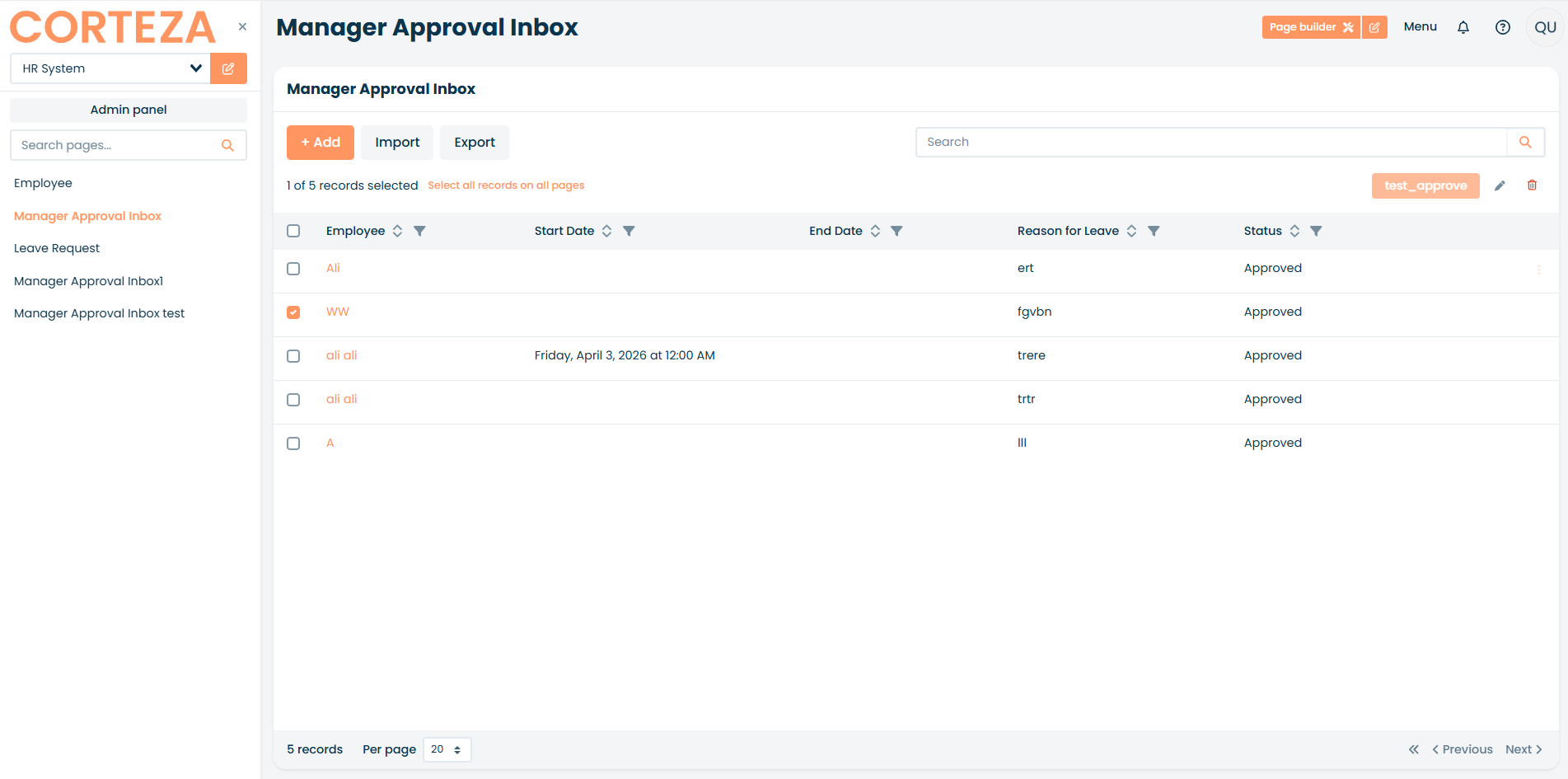
I am building an HR Leave Request system and I’m having trouble getting a bulk approval button to work on a Record List.
The Setup:
- Version: Corteza 2024.9
-
Module: Leave Request (includes a field named
status). -
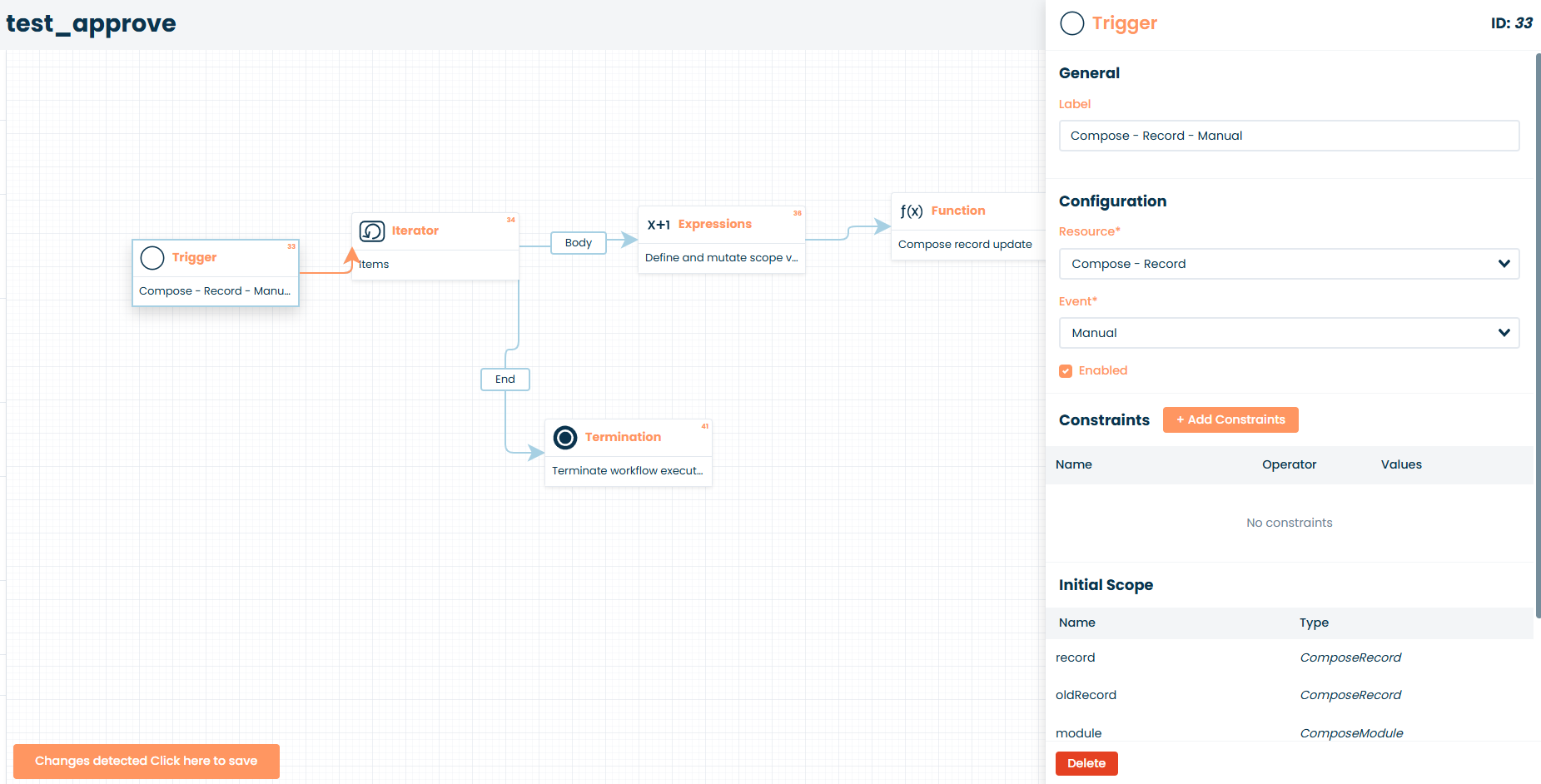
Workflow Trigger:
compose:recordononManual. -
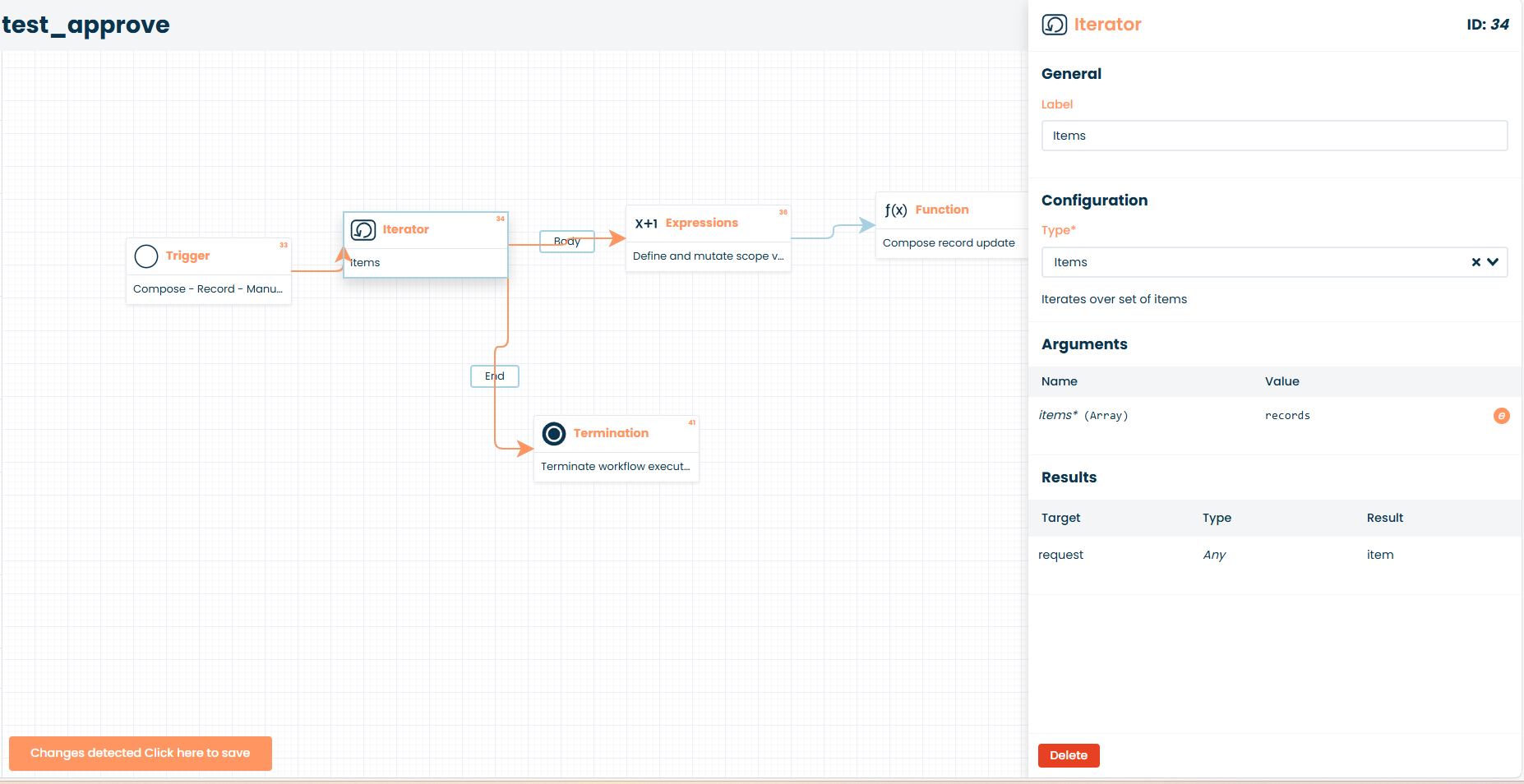
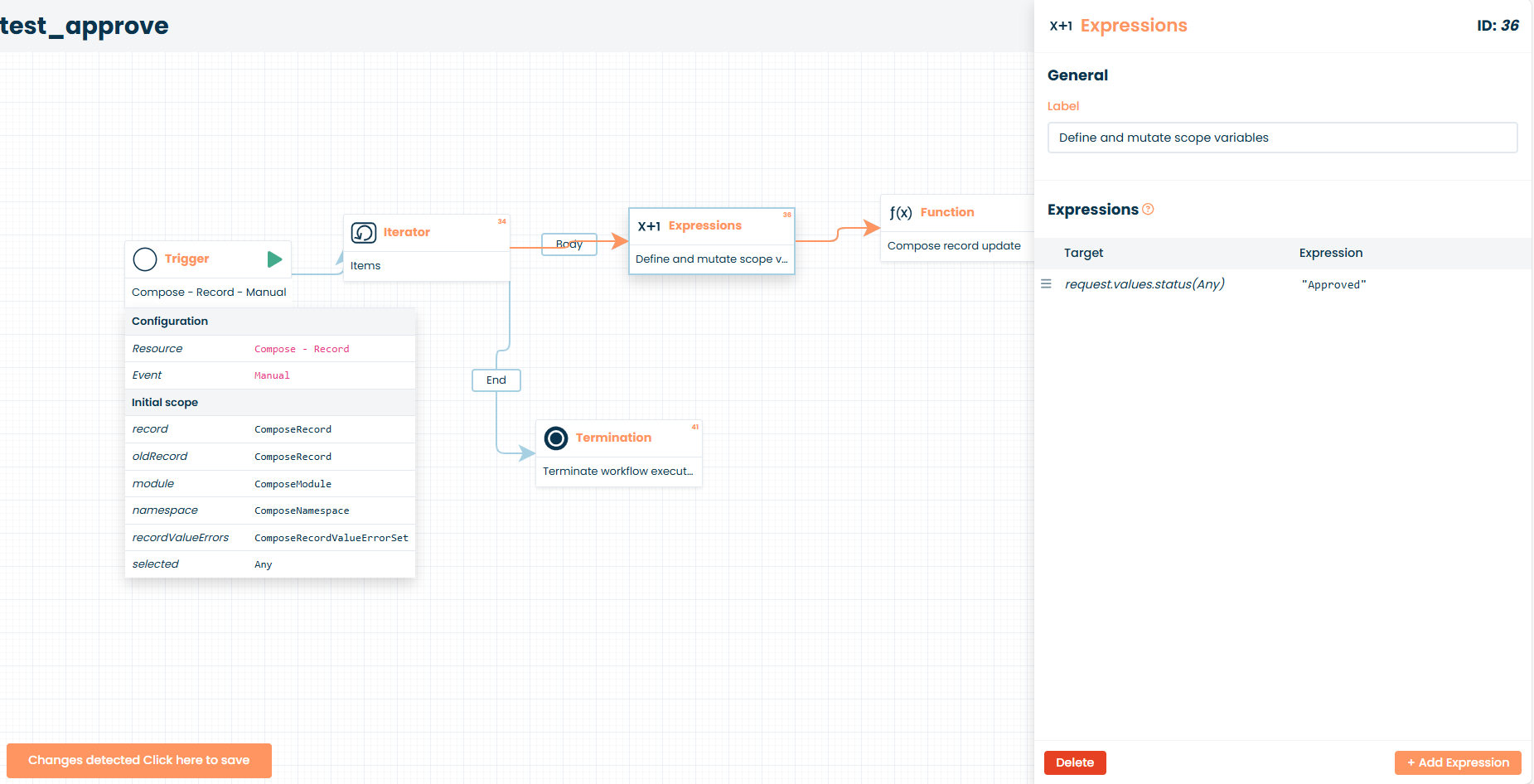
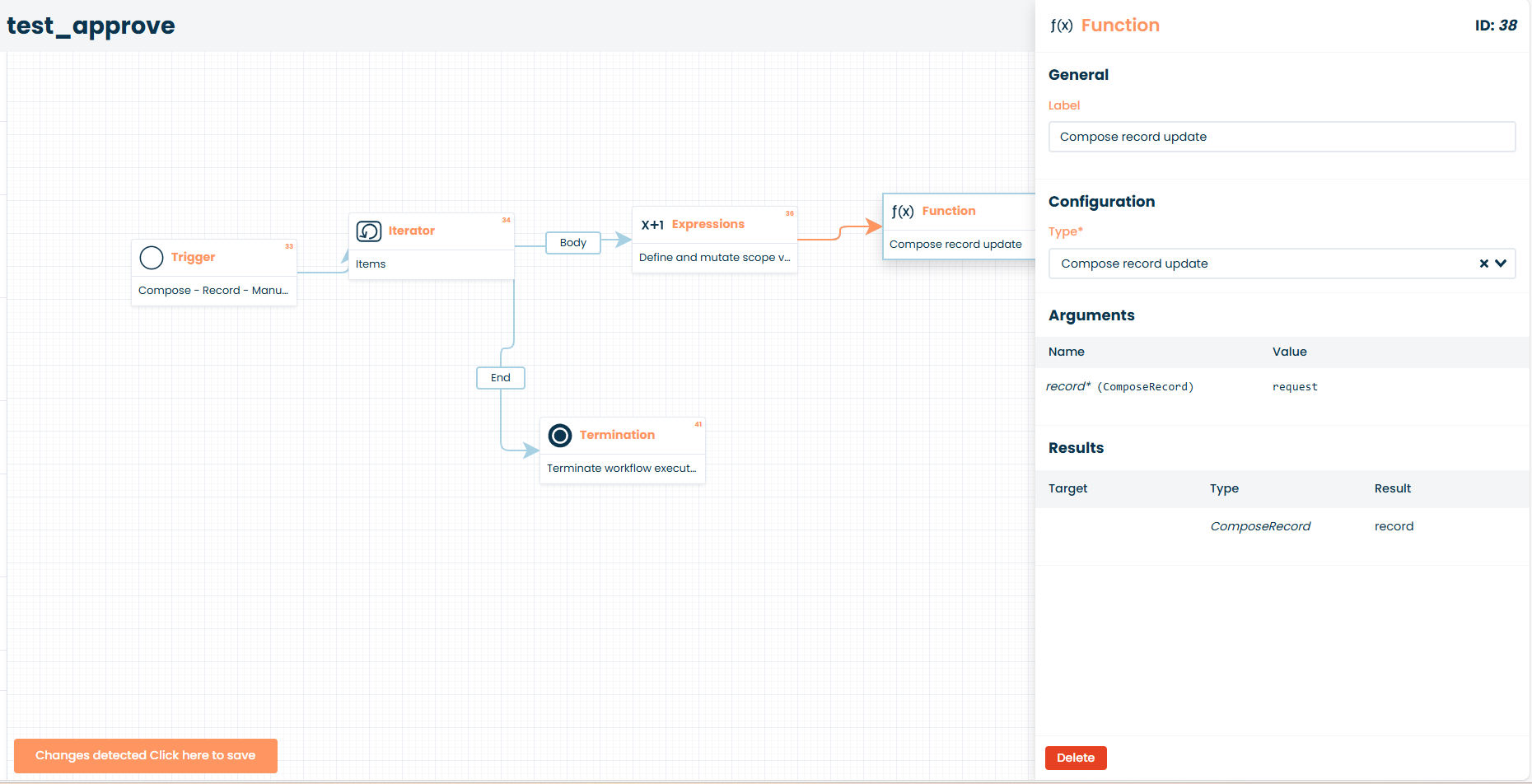
Workflow Logic: An Iterator (type: Items) looping through
records, followed by an Expression to setrequest.values.status = "Approved", then acompose:record-update. - Record List Block: “Users will be able to select records” is set to Yes. Checkboxes are visible on the list in the UI.
The Issue: In the Automation tab of the Record List block settings, I have added the button and linked it to my workflow. However:
- There are no “Selection” or “Multiple” configuration options visible for the button in the Automation tab (only the workflow selection).
- On the public page, the button remains inactive (disabled) even after I check one or more records in the list.
What I’ve tried:
- Verified the workflow is Deployed and Enabled.
- Confirmed the Trigger Resource is
compose:record. - Changed the workflow Trigger to
compose:page, which makes the button active, but then it processes the entire module instead of only the selected records because therecordsvariable is empty.
Question: How do I make the button recognize the record selection in 2024.9 so it becomes active only when items are checked? Is there a specific constraint or scope setting required in the Trigger to enable the “Multiple” selection mode in the block settings?
Thanks for the help!