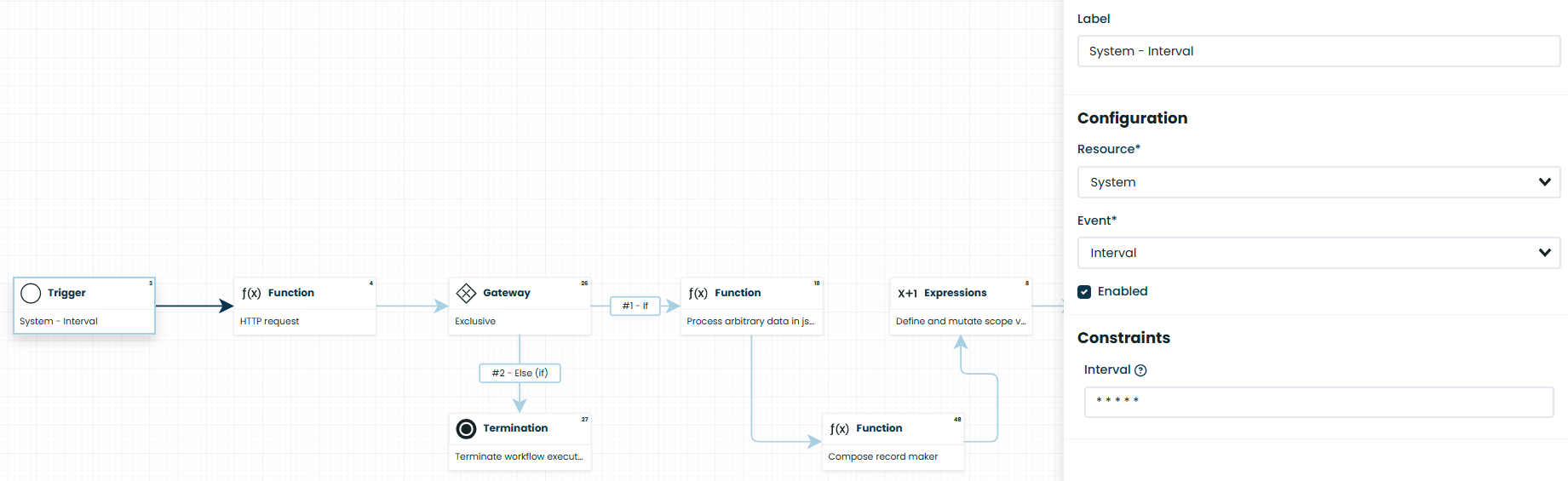
Hey team, I’m starting to understand and have set up on my local machine with Docker (ver corteza:2024.9.8). Currently, I’m having an issue with triggering workflows when using set Interval. In my example, I’m setting it to call to API every minute, but it’s currently not executing. I tried executing the workflow manually and it runs ok, but it can’t repeat every minute. Am I missing something in the setup or is there something wrong in the workflow? Thanks
Hi,
Have you tried changing the interval value to see what happens? Try setting it to */3 * * * * or even */1 * * * *. From my testing with corteza, some triggers with intervals can get delayed by others if you have to many of them and that are take too long to execute.
Can you go on the admin page? There is a section called workflows and there you can find the sessions page and see what workflows runned and what happened. You can filter by id and check if the workflow executed at all or something failed, if thats the case there will be an error message there.
Does this workflow really need to run every minute tho?
1 Like
Hi @joaoFigueiredo
I tried setting it to */3 * * * * and even */20 * * * *, but I still don’t see it executing.
I also checked the admin page, and I only see the workflows run successfully when I manually click Run on the UI. After that, there are no additional executions over time.
Actually, I’m trying to test it with a short interval (a few minutes) to verify whether it’s really working.
Is your workflow still running correctly when using a scheduled interval?
Yes, on our instance we have multiple workflows that trigger and run based on set timers. Did you manage to find the workflow on the failed tab?
The shortest one we have is 5 minutes because the workflow took some time to run and we wanted to avoid race conditions
Have you set run as on your workflow? If you can export your workflow i can try to run it on my instance and see if i figure out something
1 Like
@joaoFigueiredo
This workflow of mine is quite simple—it just fetches data from an API and then pushes it into a module.
I don’t see anything in the Failed tab because it only completes successfully the first time.
I’ve attached the JSON files for the module and workflow.
Could you please help review and see if I made any mistakes or missed any steps that might be causing the schedule not to run every 3 minutes?
Thank you very much for your help.
Demo-workflow-interval.zip (2.8 KB)
@Hiuhiu
I runned it just now and is working just fine. A record has been create every minute since i enabled the workflow. When running your workflow do you have run as set to a user? Time interval triggers wont run unless you have it set to something but it should be giving you a warning about it on the top left corner of the screen under the same. Also check if the workflow is actually enabled in Configuration.
If you have db access, try running this:
select * FROM dbname.automation_sessions
  where rel_workflow = 'your workflow id here' and status = 3
  order by created_at desc
  limit 100
This query should show you every time the workflow runned with an issue. If there isnt any then it probably isnt even running.
What env variables are you using? Can you find to check if there is something that could be preventing the workflow to run.
Also i suggest you to use the handles instead on the workflows so its easier for you and others to read and understand whats going on since the handles arent supposed to be changed.
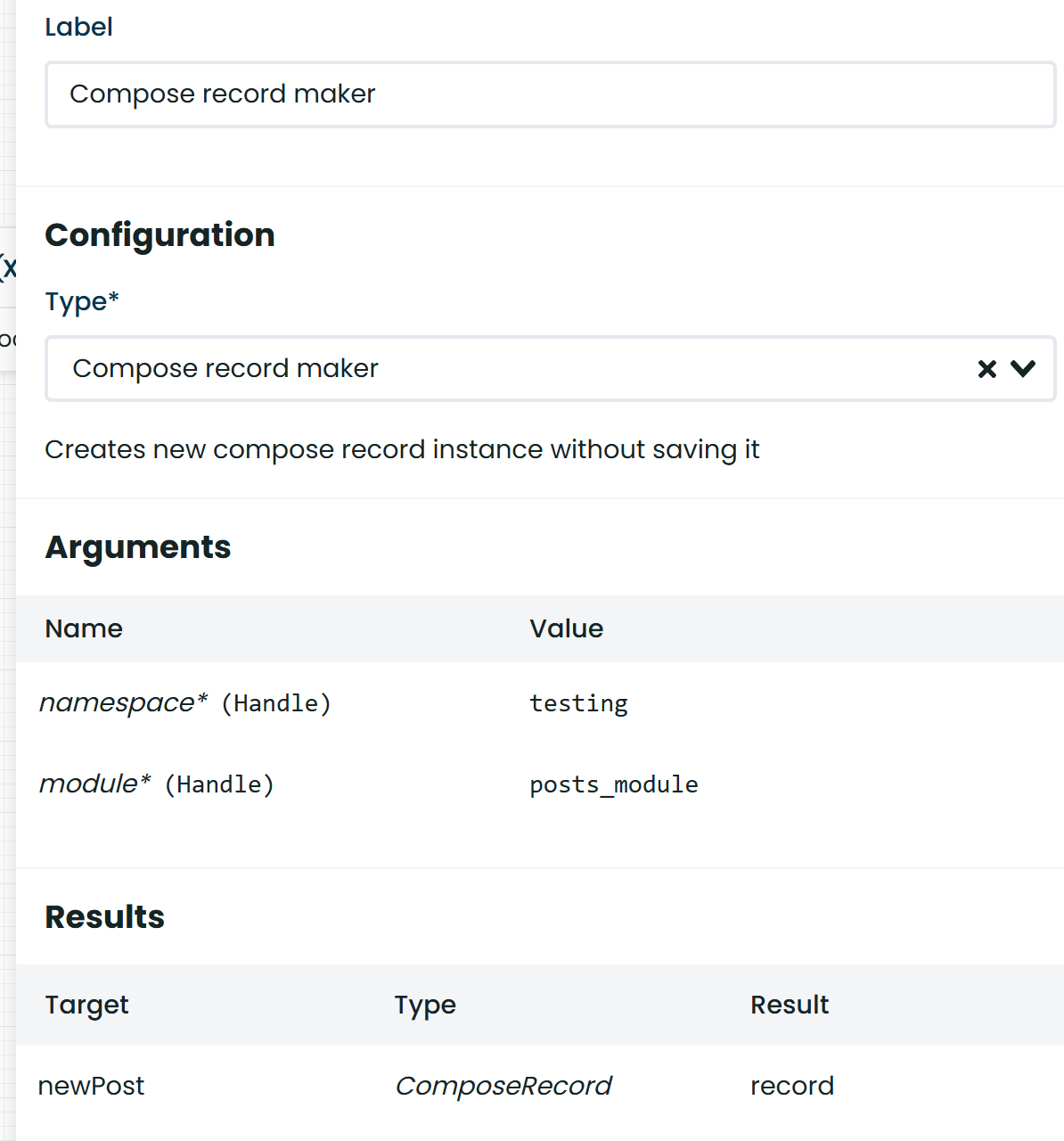
@joaoFigueiredo Thank you for your response.
Could you please check the message ? I have just sent you the .env file.
Just answered you, lets try fixing the issue there and then when we have a solution we post it so others can use it too if they need
Hey Guys, I’ve got the exact same issue. Did you come to any solution? I already suspect some background worker not to be set up?!
Hi jan, where are you running your instance? During our testing i didnt manage to replicate the issue but hiuhiu got it working after making a docker build and running it. It wasnt working in the dev test enviroment
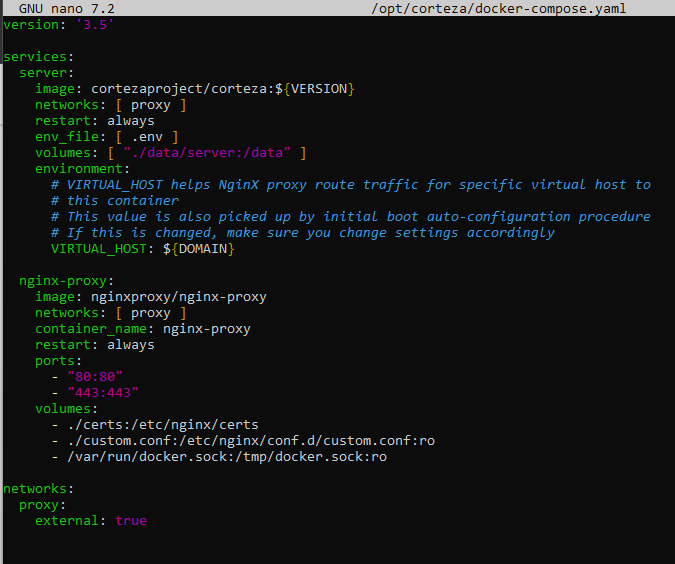
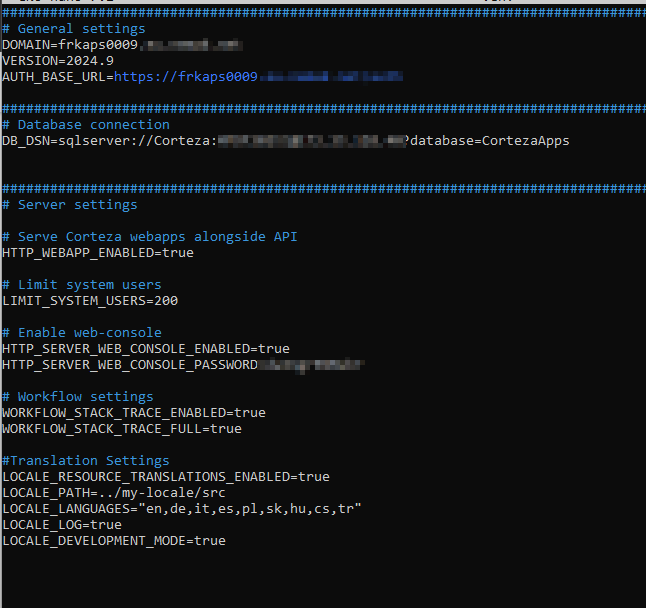
have you tested with the workflow trace turned off?
Yes, doesnt change anythin.